Pray with your small group
Start a prayer group for your small group, Bible study or family, or join one with a code, and pray for each other's requests in The Pray App.
Steps
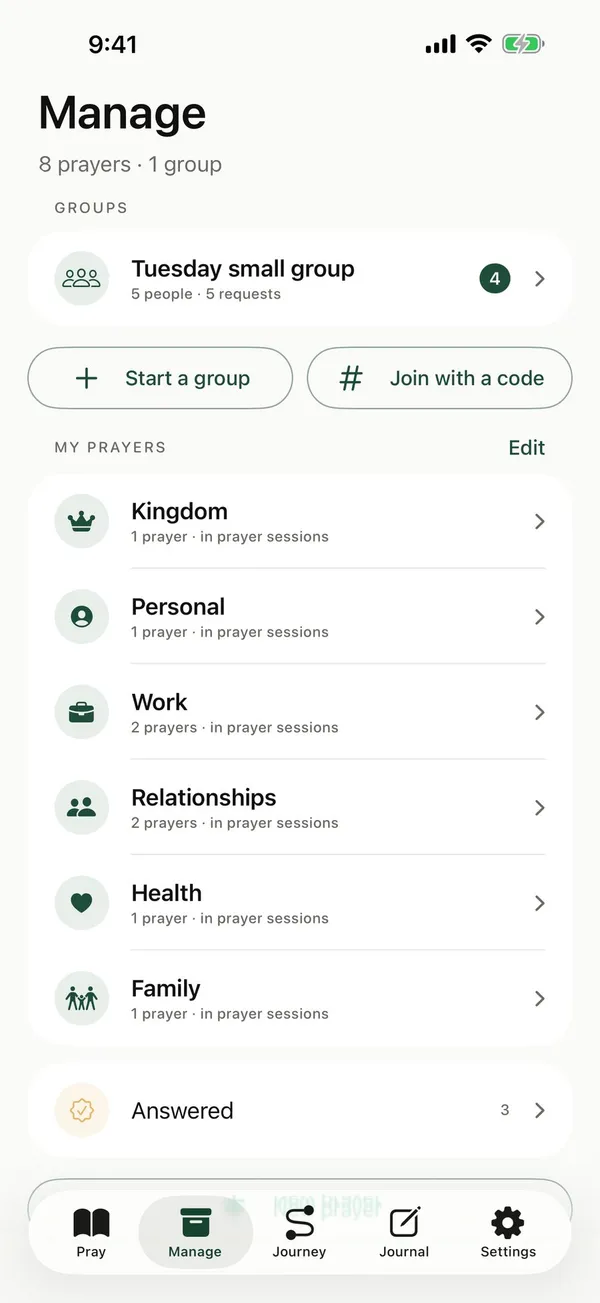
- In Manage, under Groups, tap Start a group. If you're not in a group yet, Start a group is on Home too.
- Type the name your group already goes by, and Your name in this group. Tap Next.
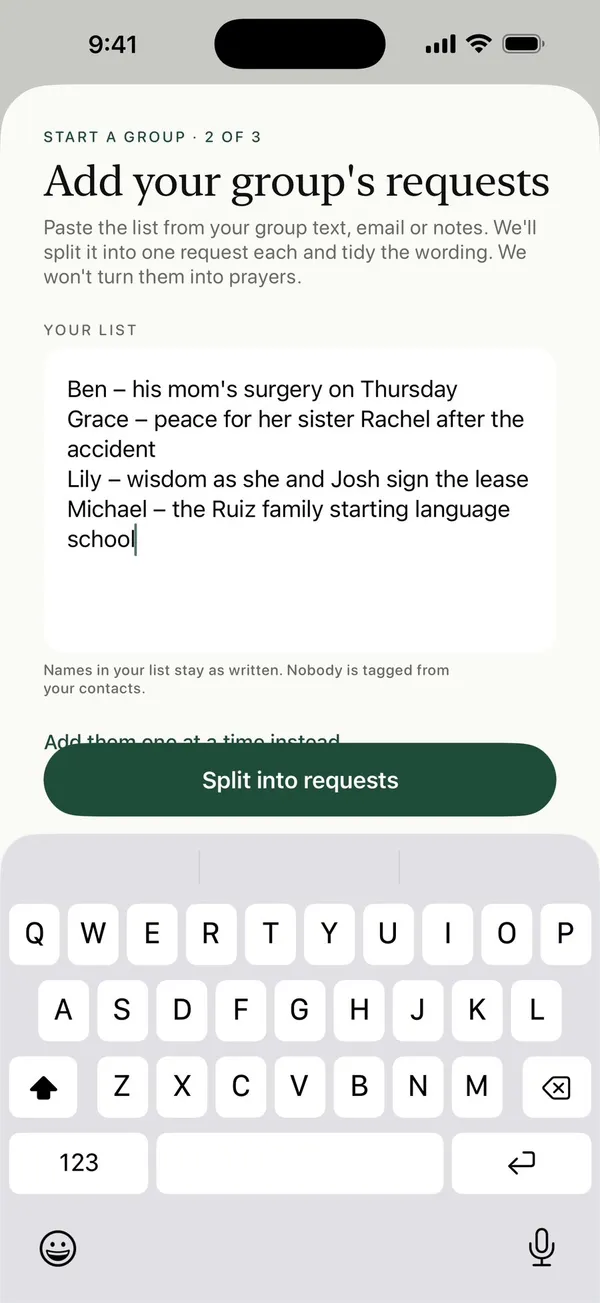
- Paste the list from your group text, email or notes, and tap Split into requests.
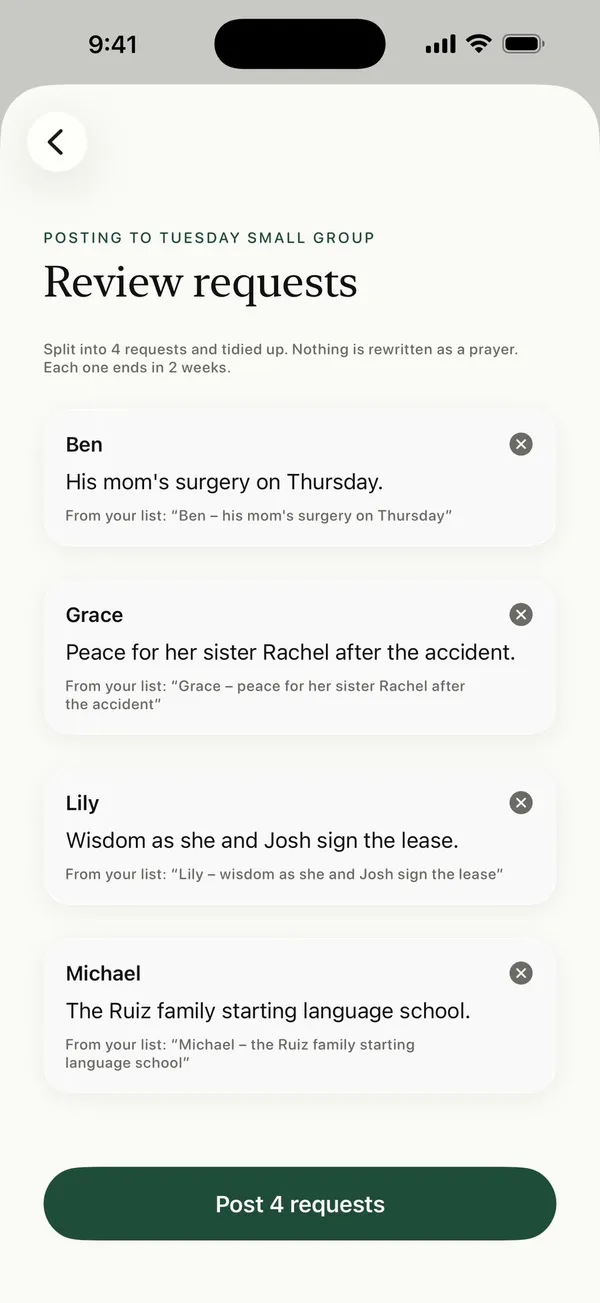
- Check each request under Review requests, then tap Post to put them on the group's board.
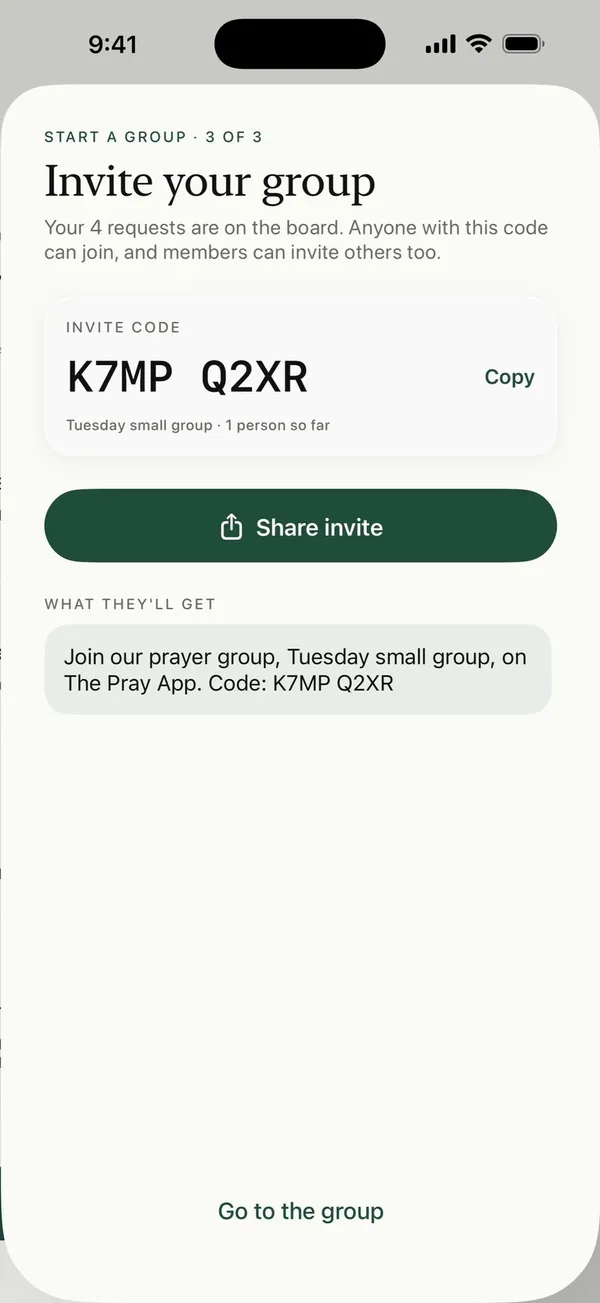
- Under Invite your group, tap Share invite or Copy to send the code to your group, then tap Go to the group.
- To join a group someone invited you to, tap Join with a code, type the code and your name, and tap Join group.
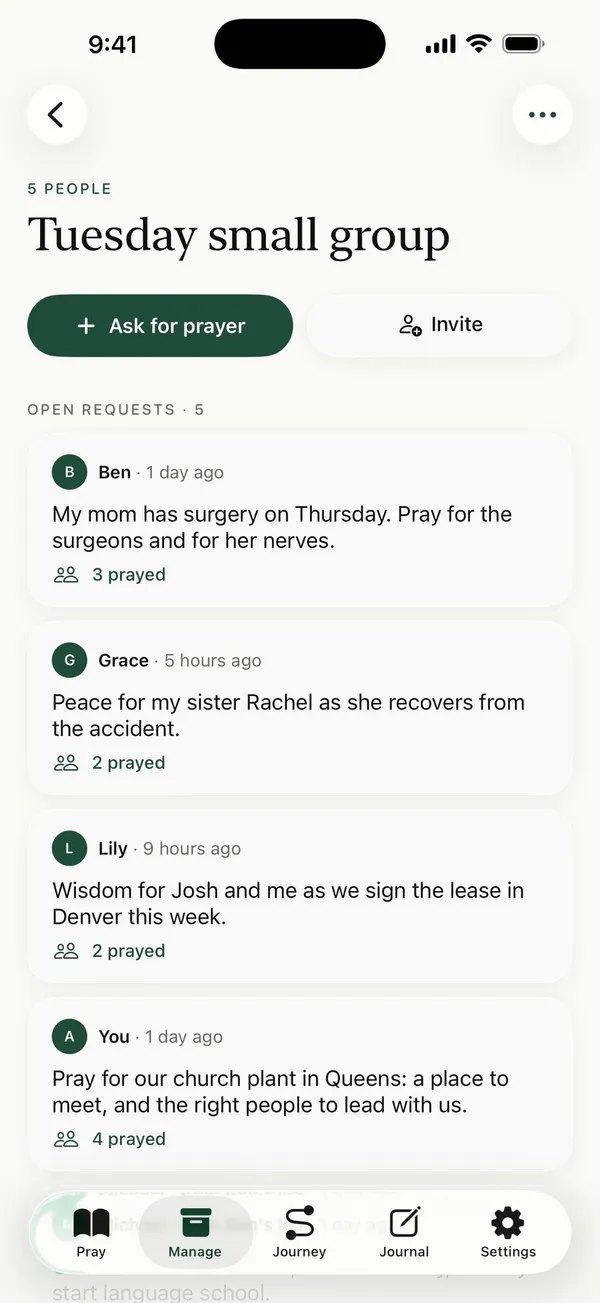
How the group’s requests reach your prayer time
Each time you pray, up to 3 of the group’s requests come up with your own prayers, and they take turns so each one gets its day. To change that, open the group, tap Group info, and under Your prayer time change How many each time, or turn off Requests in my prayer time.
Good to know
- Requests stay in the words people wrote. When you paste a list, the app splits it into one request per line, up to 50 at a time, picks out the name of the person who asked, and tidies it up. It never turns a request into a written prayer.
- Requests end after 2 weeks unless an admin changes it. Admins can choose 1 week, 2 weeks, 1 month or Never. An ended request is archived, never deleted, and an admin can restore it.
- Only admins see end dates. Everyone else just prays.
- Next to each request, the group sees how many people prayed for it.
- Only the people in your group see its requests. Your name shows on the requests you post. The people you tag, your categories and your journal stay private.
- Posting and joining need an internet connection.
Common questions
How do I ask my group to pray for something?
Open the group from Manage and tap Ask for prayer. Write the request in your own words and post it. It goes on the board, and it starts coming up in everyone’s prayer time.
What happens when God answers my request?
Mark it answered and write how God answered. The group sees that it was answered, and it leaves everyone’s prayer time. What you wrote goes in your Journey under God showed up, and only you see it.
Can I approve requests before the group sees them?
Yes, if you’re an admin. Open the group, tap Group info, and choose Approve each post first. New requests then wait for you under Waiting for you until you approve them.
What happens if I leave a group?
Your open requests come with you as private prayer cards and leave the board. The group’s requests leave your prayer time. To leave, open the group, tap Group info, then Leave group.
Who is the admin?
The person who starts a group is its admin. Admins can rename the group, choose how long requests stay open, approve or remove posts, and remove people if they ever need to.
Posts about this
- How to lead a prayer group or prayer meetingHow to lead a prayer group or prayer meeting, a simple plan for the time, how to help quiet people pray, and short opening and closing prayers you can use.
- How to start a prayer group at church, home or onlineHow to start a prayer group at church, at home, at work or online, who to invite, what to do the first time, and how to keep praying between meetings.
- Small group prayer requests, ideas and how to keep trackSmall group prayer request ideas, how to share requests in your group without running out of time, and how to keep praying for them all week.